
Best Software Tools to Manage Your SMJ-552 Photo Booth Machine
- Best Software Tools to Manage Your SMJ-552 Photo Booth Machine
- Introduction — meet the Automatic Self-Service Photo Booth SMJ-552
- Why the right software matters for a photo booth machine
- Core software categories for the SMJ-552 photo booth machine
- Recommended tools and how they fit the SMJ-552
- 1) Camera control & capture
- 2) Kiosk / user interface software
- 3) Template design & printing
- 4) Cloud upload & asset management
- 5) Social sharing, email & SMS delivery
- 6) Payment & rental management
- 7) Remote monitoring & diagnostics
- 8) Analytics & CRM integration
- Comparison Table: Recommended software overview
- Implementation checklist — getting the SMJ-552 ready with software
- Security, privacy and compliance
- Measuring success — metrics to track
- Brand advantages — why choose the Automatic Self-Service Photo Booth SMJ-552 with the right software
- FAQ — Frequently Asked Questions
- Q: What operating system does the SMJ-552 require for third-party software?
- Q: Can I use cloud upload with limited venue Wi‑Fi?
- Q: How do I connect social media for one-click sharing?
- Q: Is remote troubleshooting possible?
- Q: How do I protect guest privacy?
- Contact us / View the product
- Authoritative references and further reading
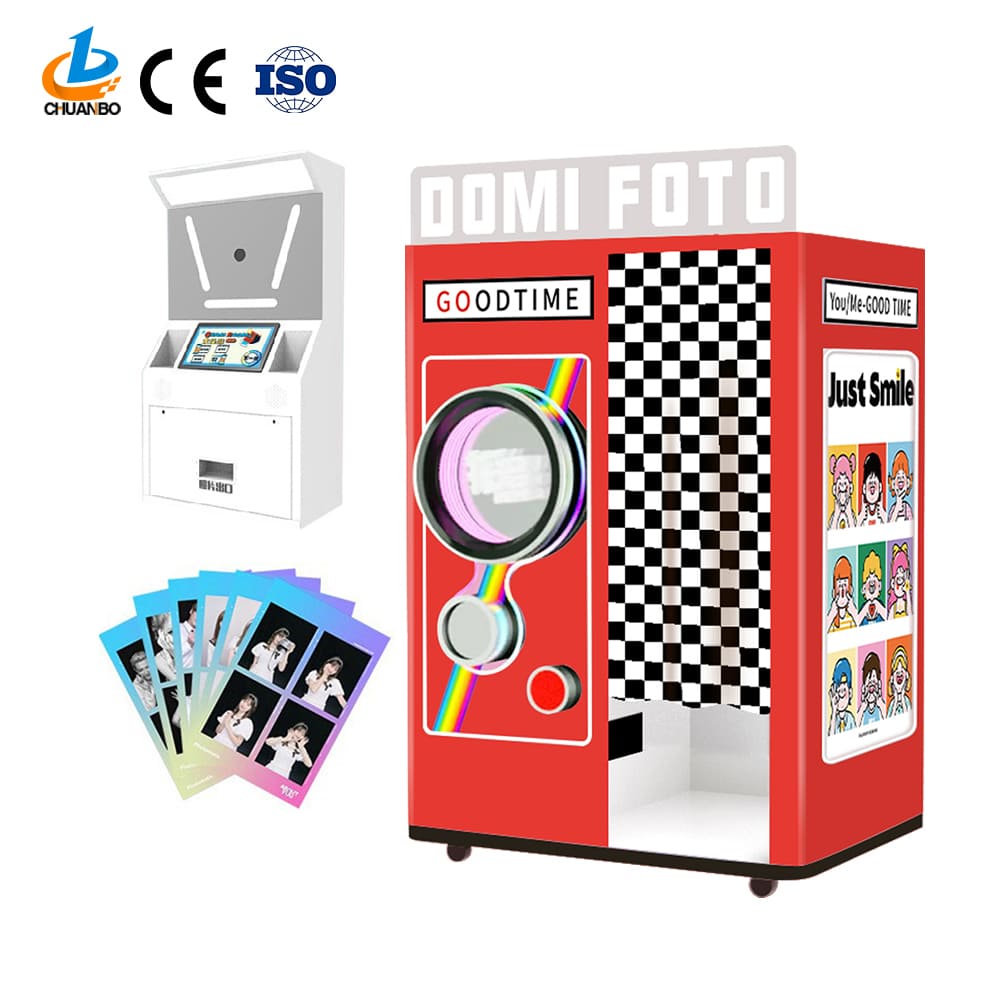
Best Software Tools to Manage Your SMJ-552 Photo Booth Machine
Introduction — meet the Automatic Self-Service Photo Booth SMJ-552
Automatic Self-Service Photo Booth SMJ-552
This selfie station offers a completely digital, self-service photo booth experience, perfect for parties and brand events. It eliminates the need for a photo booth attendant and is easy to use.
Why the right software matters for a photo booth machine
Hardware alone does not deliver a great guest experience. The software stack defines how guests interact with your SMJ-552, how images are captured, processed, printed, shared and stored, and how you operate the machine remotely. The right tools reduce downtime, accelerate setup, improve conversion (prints or shares), and protect guest data — all crucial for rental companies and brand activations using a photo booth machine.
Core software categories for the SMJ-552 photo booth machine
When planning software for your SMJ-552, consider these categories. Each plays a distinct role in performance and guest experience:
- Camera control & capture software
- Kiosk / user interface (touchscreen) software
- Template design & print management
- Cloud upload and digital asset management (DAM)
- Social sharing, email & SMS delivery
- Payment and rental management
- Remote monitoring, diagnostics & updates
- Analytics, reporting & CRM integrations
- Security & privacy management
Recommended tools and how they fit the SMJ-552
Below are reputable software tools and representative categories. Choices depend on your operating environment (Windows, macOS, Android/iPad), whether you use DSLR or integrated cameras, and if you require on-site printing.
1) Camera control & capture
Purpose: precise camera triggering, live view, multi-shot sequences and GIF creation.
Recommendations:
- dslrBooth — popular Windows/macOS booth software focused on simplicity, templates, and social sharing. Good for DSLR-tethered setups and touch kiosks.
- Darkroom Booth — feature-rich PC software with advanced capture sequences (boomerangs, green screen) and printer support.
- Breeze DSLR Remote Pro — professional tethering and capture control, strong for studio-quality captures and advanced camera settings.
2) Kiosk / user interface software
Purpose: create a fast, intuitive guest flow (welcome → capture → choose print/share).
Recommendations:
- Sparkbooth — simple kiosk UI with customizable flows and easy setup for touchscreen kiosks.
- Touchscreen web apps (custom 5) — ideal when you want total control; runs in a kiosk browser and connects to local capture and cloud APIs.
3) Template design & printing
Purpose: layout design, print queuing, printer drivers and color management.
Recommendations:
- FotoMaster (Print Studio / Social Kiosk) — well-known in the industry for print templates, layouts, and hardware integrations.
- Standalone Print Drivers + custom rulers — for direct print management on DNP or Mitsubishi dye-sublimation printers.
4) Cloud upload & asset management
Purpose: securely backup photos, enable galleries for download, and centralize event assets.
Recommendations:
- Simple Booth Cloud — cloud galleries and management for photo booths; automates uploads and sharing.
- Amazon S3 / Google Cloud Storage — reliable object storage for large-scale operations with strong APIs for automation.
- SmugMug / Pixieset — customer-facing galleries and download management if selling photos after events.
5) Social sharing, email & SMS delivery
Purpose: quick delivery of photos to guests which increases sharing and event visibility.
Recommendations:
- Social Booth — focused on instant social sharing and branded overlays.
- Twilio (SMS) and SendGrid (email) — robust APIs for reliable guest delivery workflows.
- OAuth connectors for Facebook/Instagram/Twitter via the booth app or web kiosk for one-click posting.
6) Payment & rental management
Purpose: accept payments for prints, digital downloads, or paid activations; manage bookings and inventory.
Recommendations:
- Square — simple POS integration for on-site card payments and receipts.
- Stripe — flexible for web-based payments and subscription/rental billing.
- Rental platforms (e.g., company-specific CRM or rental management systems) — to schedule deliveries, staffing and maintenance tasks.
7) Remote monitoring & diagnostics
Purpose: reduce service visits with remote logs, uptime alerts and software updates.
Recommendations:
- TeamViewer / AnyDesk — remote desktop access for troubleshooting.
- Uptime monitoring (Pingdom, UptimeRobot) — get alerts if the booth goes offline.
- Custom health-check APIs — small local agent that reports camera, printer and network status to a central dashboard.
8) Analytics & CRM integration
Purpose: measure usage, shares, prints, revenues and lead capture performance.
Recommendations:
- Google Analytics / Matomo — for web-based kiosks to measure flows and conversion.
- CRM connectors (Zapier, Make) — forward leads or collected emails to HubSpot, Salesforce or Mailchimp.
Comparison Table: Recommended software overview
| Software / Service | Category | Best for | Key features |
|---|---|---|---|
| dslrBooth | Capture & Kiosk | DSLR tethered booths | Templates, social sharing, GIF/boomerang |
| Darkroom Booth | Capture & Print | Advanced capture sequences | Green screen, chroma, printer control |
| FotoMaster | Print & Templates | Branded prints and layouts | Design studio, template library, printer support |
| Simple Booth Cloud | Cloud & Sharing | Event galleries and backups | Auto-upload, share links, analytics |
| Twilio / SendGrid | Delivery APIs | Reliable SMS/email delivery | APIs, templates, high deliverability |
| Square / Stripe | Payments | On-site & online payments | POS, receipts, reporting |
Implementation checklist — getting the SMJ-552 ready with software
Follow these practical steps to minimize errors and speed deployment:
- Determine OS and hardware capabilities on the SMJ-552 (Windows, Android, Linux). Choose compatible software versions.
- Map guest flow (welcome screen → capture → preview → choose print/share/payment) and confirm the kiosk UI supports it.
- Test camera trigger and exposure remotely with the capture software; confirm live view and countdown visuals.
- Verify printer drivers and test color prints on event paper stock.
- Set up cloud upload with secure credentials and test upload speeds on venue Wi‑Fi / mobile hotspot.
- Configure social and messaging APIs (OAuth for social, Twilio/SendGrid for SMS/email) and test delivery end-to-end.
- Deploy remote monitoring agent and create escalation alerts (printer low ribbon, camera disconnected, network offline).
- Create a local fallback (e.g., onboard storage & auto-print) if cloud connectivity fails.
Security, privacy and compliance
Guests expect their images to be handled respectfully and securely. Key practices:
- Minimize data retention: automatically purge local copies after upload if not needed.
- Secure uploads: use HTTPS and signed API keys; rotate credentials regularly.
- Get clear consent: display a short privacy notice before capture and obtain opt-in for marketing emails.
- Follow local privacy laws (GDPR, CCPA) when storing or processing personal data; use data processing agreements where required.
Measuring success — metrics to track
Use analytics to optimize guest flow and ROI:
- Conversion rate (guests to prints or shares)
- Average prints per event and print revenue
- Number of shares per guest (social uplift)
- Mean time to repair (MTTR) and downtime percentage
- Emails collected and CRM conversion
Brand advantages — why choose the Automatic Self-Service Photo Booth SMJ-552 with the right software
Combining the SMJ-552 hardware with professional software delivers several advantages for rental companies and event marketers:
- Fully unattended operation: the SMJ-552 is designed as a self-service station; pairing it with robust kiosk and remote-monitoring software reduces staffing needs and lowers event costs.
- Fast guest throughput: optimized capture workflows and pre-built templates speed interactions and shorten queues.
- Brandable experiences: template engines and social sharing increase brand reach and event engagement.
- Scalable asset management: cloud uploads and DAM tools secure event assets and make them easy to distribute to clients.
- Data-driven operations: analytics integrations help you measure ROI, track revenue, and identify improvements.
FAQ — Frequently Asked Questions
Q: What operating system does the SMJ-552 require for third-party software?
A: The SMJ-552 supports common kiosk platforms. Confirm the OS version on your unit before purchasing software. Many popular booth apps run on Windows and macOS; some kiosk apps also support Android or 5 web-based UIs.
Q: Can I use cloud upload with limited venue Wi‑Fi?
A: Yes — use strategies like local caching with deferred upload, a mobile hotspot, or low-bandwidth upload settings. For high-volume events, pretest venue connectivity and consider cellular backup.
Q: How do I connect social media for one-click sharing?
A: Most booth apps use OAuth to connect social accounts. Configure developer API keys for Facebook/Twitter/Instagram and test posting workflows. Be aware of platform policy changes that can affect direct posting.
Q: Is remote troubleshooting possible?
A: Yes. Install a remote access tool (TeamViewer, AnyDesk) and a health-check agent that reports camera/printer/network status. This allows technicians to fix many issues without an on-site visit.
Q: How do I protect guest privacy?
A: Use clear consent screens, minimize data retention, secure uploads with HTTPS, and offer guests the choice to delete images. Ensure your processes comply with local data protection laws.
Contact us / View the product
If you’re ready to upgrade your events with the Automatic Self-Service Photo Booth SMJ-552 or want a tailored software package, contact our sales team or view full specs and demos:
Authoritative references and further reading
- Photo booth (Wikipedia) — https://en.wikipedia.org/wiki/Photo_booth
- dslrBooth (product) — https://www.dslrbooth.com/
- Darkroom Booth (product) — https://www.darkroombooth.com/
- FotoMaster (Print & Social solutions) — https://www.fotomaster.com/
- Amazon S3 documentation — https://aws.amazon.com/s3/
- Twilio (SMS API) — https://www.twilio.com/
- Square (Payments) — https://squareup.com/
- Stripe (Payments) — https://stripe.com/
- TeamViewer (remote access) — https://www.teamviewer.com/
Last updated: 2025. For implementation help, ask our team for a recommended software stack based on your event type and venue conditions.
How to Make a Selfie Mirror Photo Booth: A Complete Guide - Chuanbo
How to start a milk tea vending machine business in US
Where to Buy a Cotton Candy Machine: A Professional Guide | Chuanbo
How Much Does a DIY Phone Case Vending Machine Business Cost in Russia? - Chuanbo
About customized services
How to ensure the quality of customized products?
We implement a strict quality management system, and all products undergo multiple testing processes to ensure that they meet high-quality standards.
How long does customized service take?
The time for customized services depends on your specific needs and order volume. Generally speaking, we will provide you with customized solutions as soon as possible.
About after sales support
If I am not satisfied with the product, can I return it?
Yes, if you are not satisfied with our products, you can apply for a return within a certain return period. For specific return policies, please refer to our official website or contact our customer service team.
About price and payment
How are the prices of your products determined?
Our product prices are based on a variety of factors, including order quantity, customization requirements, and market competition.
About cooperation process
What steps does the collaboration process include?
The cooperation process mainly includes demand communication, product confirmation, contract signing, production, quality inspection, logistics, distribution, etc.
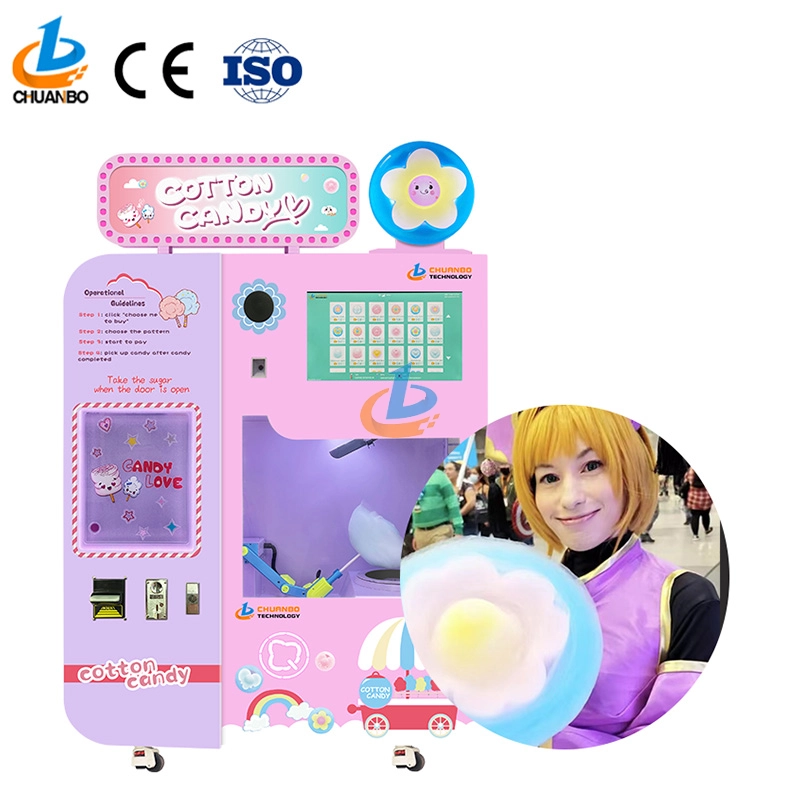
Fully Automatic Cotton Candy Vending Machine CB328
Introducing the Chuanbo Fully Automatic Cotton Candy Vending Machine CB328—a perfect blend of innovation and convenience. Ideal for businesses, this vending machine offers an effortless way to enjoy fresh cotton candy anytime. Explore the automatic cotton candy vending machine for sale and elevate your location's snack options today.
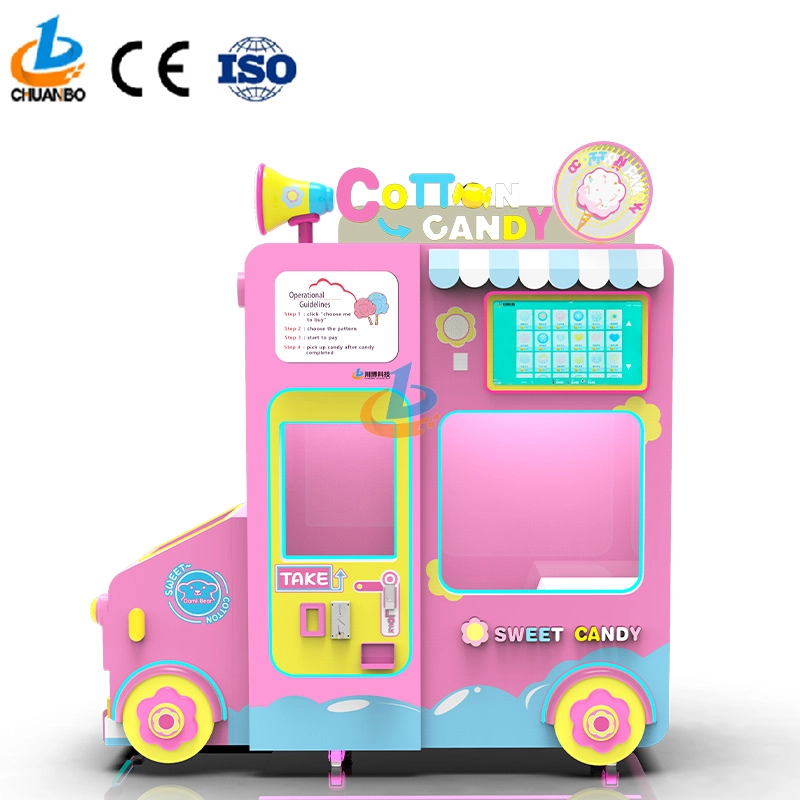
Intelligent Flower Candy Floss Vending Machine CB730
This automated candy floss vending machine combines advanced automation technology with the timeless appeal of cotton candy. Its robotic arms precisely transform sugar into fluffy treats and mold them into delightful shapes, such as flowers, hearts, and more. Customers can select the cotton candy they want by their preferences, ensuring that each dessert is both delicious and visually appealing.
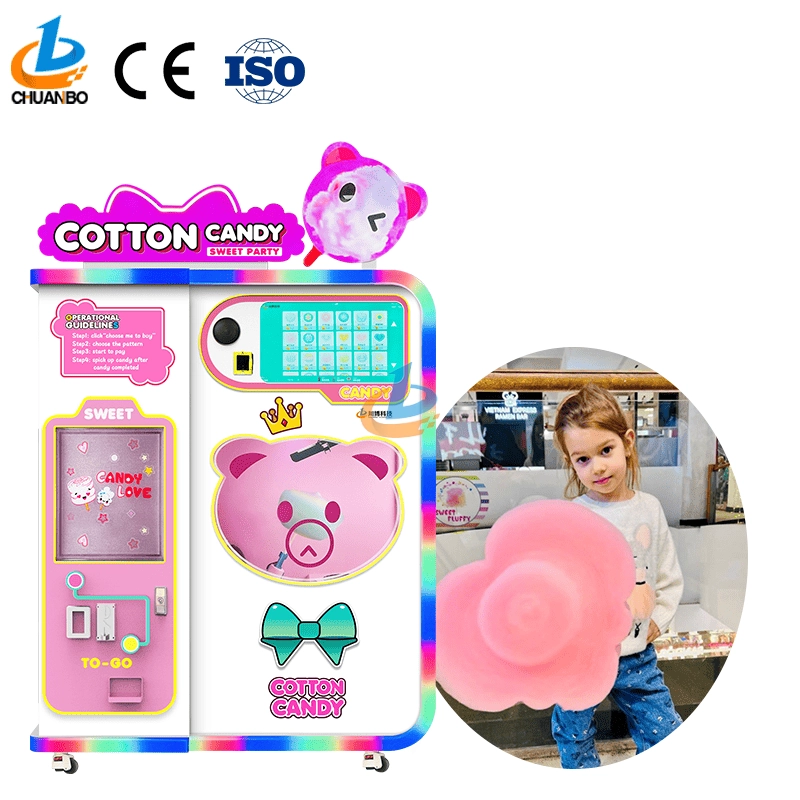
Fully Automatic Cotton Candy Vending Machine CB525
Discover the Chuanbo Fully Automatic Cotton Candy Vending Machine CB525, the ultimate solution for hassle-free confectionery delight. Ideal for entrepreneurs and venues, this high-efficiency machine ensures consistent quality. Explore our fully automatic cotton candy vending machine for sale today and elevate your business offerings.
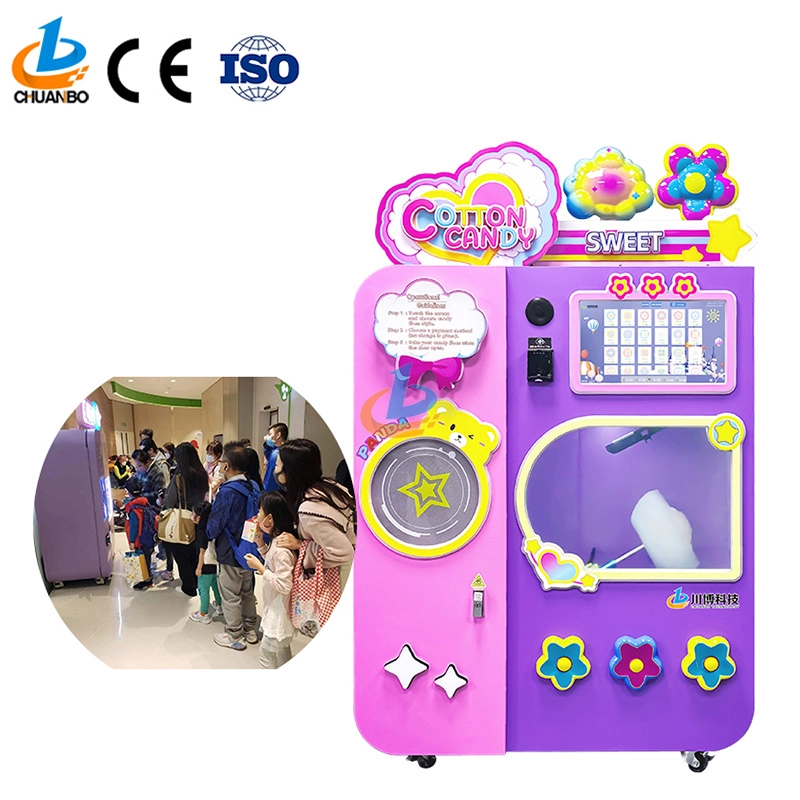
Wholesale Automatic Cotton Candy Vending Machine CB525H
This automatic cotton candy vending machine combines advanced automation technology with the timeless appeal of cotton candy. Its robotic arms precisely transform sugar into fluffy treats and mold them into delightful shapes, such as flowers, hearts, and more. Customers can select the cotton candy they want by their preferences, ensuring that each dessert is both delicious and visually appealing.
Copyright © 2024 CHUANBO All Rights Reserved.

 Scan QR Code
Guangzhou Chuanbo Information Technology Co., Ltd.
chuanbotechnology
Chuanbo Technology
cottoncandymachine9
Chuanbo Technology