
Photo Quality Tips for the SMJ-552 Automatic Photo Booth
- Photo Quality Tips for the SMJ-552 Automatic Photo Booth
- Why image quality matters for a photo booth machine
- Lighting best practices for your SMJ-552 photo booth machine
- Backgrounds and composition recommendations for the SMJ-552 photo booth machine
- Camera capture settings and recommendations for an automatic photo booth machine
- UX design, prompts, and countdowns to improve photos from a photo booth machine
- Props, wardrobe, and group shot tips for the Automatic Self-Service Photo Booth SMJ-552
- Printing, resolution, digital sharing and output settings for your photo booth machine
- Comparison: SMJ-552 vs attendant-run booth vs DIY smartphone station
- Troubleshooting common image quality issues on a photo booth machine
- Brand advantages of the Automatic Self-Service Photo Booth SMJ-552
- FAQ - Common questions about photo quality and the SMJ-552 photo booth machine
- Q: Does the SMJ-552 handle low-light events well?
- Q: Can I change resolution and file format on the SMJ-552?
- Q: How do I reduce reflections from glasses in photos?
- Q: Will branded overlays and templates affect photo quality?
- Q: What if group photos are cropping people out?
- Contact and call to action
- Authoritative references and further reading
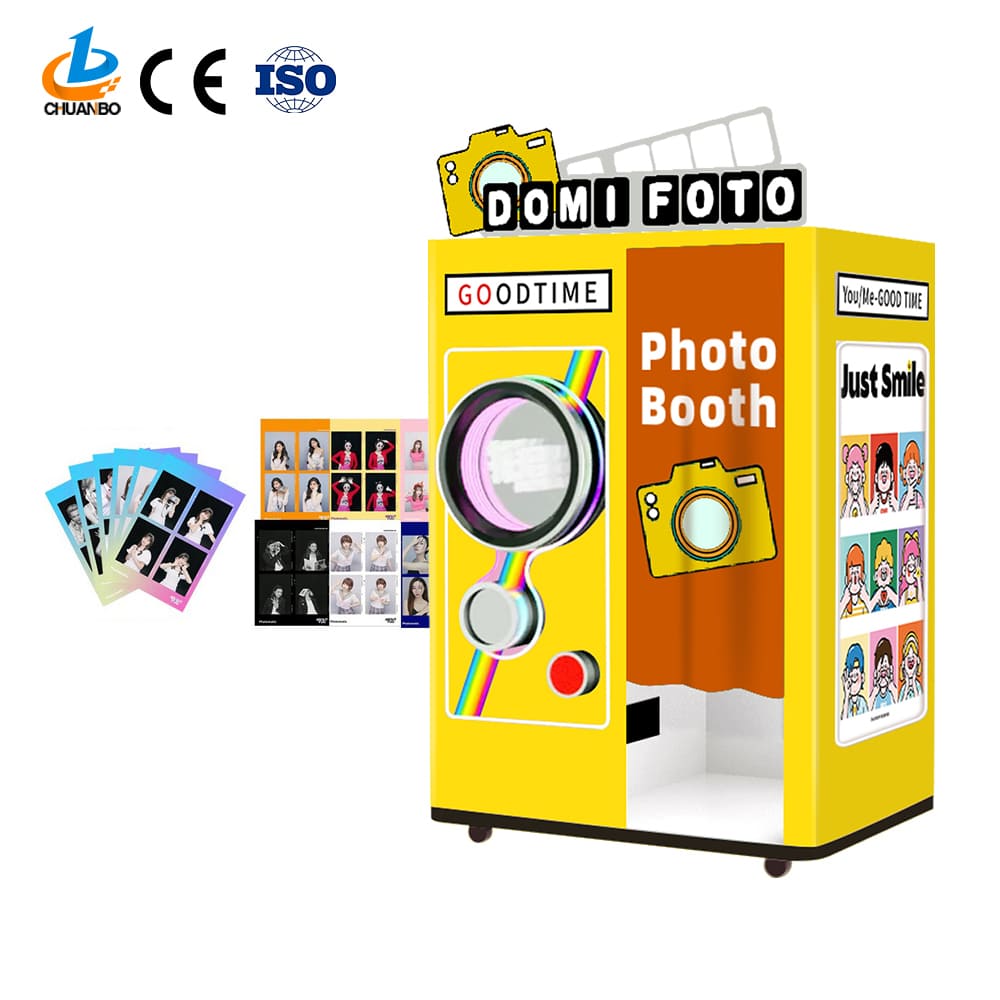
Photo Quality Tips for the SMJ-552 Automatic Photo Booth
This article gives actionable, easy-to-follow advice to improve image quality with your Automatic Self-Service Photo Booth SMJ-552. The goal is simple: make every guest leave with photos that look polished, flattering, and shareable.
This selfie station offers a completely digital, self-service photo booth experience, perfect for parties and brand events. It eliminates the need for a photo booth attendant and is easy to use.
Why image quality matters for a photo booth machine
High-quality photos increase guest satisfaction, social shares, and brand exposure. When a photo booth machine delivers consistently strong images, hosts report higher engagement, more social media tagging, and better perceived value for event visitors. Good image quality reduces returns, complaints, and manual editing after the event, saving time for organizers.
Lighting best practices for your SMJ-552 photo booth machine
Lighting is the single biggest factor in perceived image quality. Even the best cameras fail with poor light. For the SMJ-552, follow these practical tips:
- Use diffused frontal lighting: Softboxes or LED panels with diffusion reduce harsh shadows and create flattering, even skin tones.
- Maintain consistent color temperature: Match LEDs to 5000K-5600K for daylight balance. Avoid mixing warm tungsten and cool daylight lights in the same setup.
- Avoid strong backlight: Place key lights in front and slightly above eye level. If you have strong stage lights behind subjects, add a hair or rim light to separate subjects from the background.
- Control reflections: If guests wear glasses, lower overhead intensity or use a higher-angle frontal light to reduce glare. Angling lights and the subject slightly can help.
- Set ambient exposure: Use the SMJ-552 exposure control or the venue lighting to keep the background slightly darker than subjects so faces stand out.
Backgrounds and composition recommendations for the SMJ-552 photo booth machine
A clean, well-lit background dramatically improves perceived quality. Options include branded step-and-repeat backdrops, fabric seamless backdrops, or a simple neutral wall. For more creative events, use textured or themed backgrounds but keep them subtle so they don't distract from faces.
- Distance matters: Place subjects at least 3-6 feet in front of the background to reduce shadows and improve separation.
- Choose focal length wisely: A 35mm-85mm equivalent helps avoid distortion in group shots and flattering portraits. If the SMJ-552 uses a fixed lens, instruct guests on positioning to avoid distortion (center subjects, don’t place faces too close to edges).
- Rule of thirds and eye level: Frame faces near the upper third line and keep camera angle at eye level for natural poses.
Camera capture settings and recommendations for an automatic photo booth machine
Even automated systems benefit from purposeful configuration. If your SMJ-552 allows customization, apply these settings:
- Image size and format: Use high-resolution JPEG for instant sharing. If you plan to archive or do post-processing, enable RAW capture when supported, or capture high-quality JPEGs at the camera's maximum resolution.
- ISO and noise control: Keep ISO as low as practical (100-400) using sufficient light. Higher ISO introduces noise that looks poor on large prints.
- Shutter speed and motion: For small movement like posing, 1/125s is usually safe. Increase shutter speed for larger group movement in low light.
- Aperture and depth of field: A mid-range aperture like f/4 to f/8 balances sharpness and subject separation. Avoid very wide apertures that cause inconsistent focus on groups.
- Face-detection and autofocus: Enable face detect AF to prioritize focus on faces. Use a single focus point for consistent results.
- White balance: Use a fixed white balance matching your lights (e.g. 5600K) rather than auto WB in mixed lighting environments.
UX design, prompts, and countdowns to improve photos from a photo booth machine
The SMJ-552 is self-service, so UX plays a big role in photo quality. Design the on-screen flow to help guests create better shots:
- Show sample poses: Display 3-4 pose examples for individuals, couples, and groups before capturing.
- Use a visible countdown: A 3-2-1 countdown with audio gives users time to settle into a natural pose.
- Provide composition tips: Short prompts like 'Center your faces' or 'Step back for group shots' reduce framing mistakes.
- Offer live preview: A real-time preview helps users adjust distance and posture before capture.
Props, wardrobe, and group shot tips for the Automatic Self-Service Photo Booth SMJ-552
Props are fun but can interfere with image quality if not managed. Offer a small, curated props kit and place a sign encouraging guests to choose a maximum of one or two props to avoid cluttered images. For group shots:
- Stagger heights: Put taller people at the back and shorter at the front, or use a small step for a second row.
- Encourage tight grouping: Ask groups to stand close with minimal gaps so faces remain the focal point.
- Wardrobe suggestions: Avoid very small patterns or extremely reflective clothing that can distract the camera metering.
Printing, resolution, digital sharing and output settings for your photo booth machine
Decide in advance whether the priority is physical prints or digital sharing. Configure outputs accordingly:
- Print DPI: For 4x6 prints, aim for 300 DPI at print size. That means a minimum image width of ~1200 pixels for acceptable quality, but higher is better.
- Digital resolution: For social sharing and archive, export high-quality JPEGs at 2000-3000 pixels on the long side for flexibility.
- File naming and Include event tags and timestamps to simplify post-event retrieval and brand tracking.
- QR sharing and email: Enable QR code download or direct SMS/email sharing on the SMJ-552 to improve on-site sharing and social reach.
Comparison: SMJ-552 vs attendant-run booth vs DIY smartphone station
The table below highlights image quality and operational differences. This helps set expectations and configuration priorities.
| Feature | Automatic Self-Service Photo Booth SMJ-552 | Attendant-Run Booth | DIY Smartphone Station |
|---|---|---|---|
| Consistent exposure and framing | High with proper setup and presets | High if operator is trained | Variable, depends on users |
| Speed of service | Fast, self-service flow | Moderate, depends on operator | Fast but inconsistent |
| Customization for branding | Built-in digital branding and templates | Good, operator can adjust live | Limited, manual effort |
| Cost and staffing | Lower ongoing cost, no attendant needed | Higher due to staffing | Lowest equipment cost, higher time cost |
Troubleshooting common image quality issues on a photo booth machine
Problems happen. Here are quick fixes for the most common complaints:
- Photos are too dark: Increase key light output, lower shutter speed slightly, or raise ISO within acceptable limits.
- Photos are too bright or blown highlights: Reduce key light intensity or increase shutter speed. Use ND filters on bright days.
- Color casts in images: Lock white balance to match your main lights and avoid mixed lighting sources.
- Faces out of focus: Verify autofocus mode and test face-detection. Increase depth of field with a smaller aperture if necessary.
- Glare on glasses: Adjust light angles, add a polarizer if using an external camera, or ask users to slightly tip eyewear.
Brand advantages of the Automatic Self-Service Photo Booth SMJ-552
The SMJ-552 combines ease-of-use with consistent, high-quality outputs. Advantages to highlight when choosing this photo booth machine for events:
- No attendant required: The self-service flow reduces staffing costs and simplifies logistics for parties and brand events.
- Digital-first workflow: Built for instant sharing, QR download, and branded templates that increase online engagement and exposure.
- Reliable and repeatable results: With proper setup, the SMJ-552 delivers consistent exposure, white balance, and framing, which reduces post-event edits.
- Flexible for events: The unit adapts to indoor and well-managed outdoor settings, and supports a range of output options for prints and digital delivery.
FAQ - Common questions about photo quality and the SMJ-552 photo booth machine
Q: Does the SMJ-552 handle low-light events well?
A: The SMJ-552 performs best when supplemented with dedicated lighting. For dim venues, add continuous LED panels or diffused flash to keep ISO low and colors accurate.
Q: Can I change resolution and file format on the SMJ-552?
A: Most configurations allow you to set output size and quality. For instant sharing choose high-quality JPEGs; for archival or post-editing choose RAW if the system supports it.
Q: How do I reduce reflections from glasses in photos?
A: Lower frontal light angles slightly, add a top-back rim light, and encourage guests to tilt glasses down or remove them for a moment. Adjusting light power can also help.
Q: Will branded overlays and templates affect photo quality?
A: Overlays do not change capture quality. They are applied after the photo is taken. Make sure overlays do not cover faces or important image areas and use high-resolution overlay files to avoid pixelation.
Q: What if group photos are cropping people out?
A: Provide clear on-screen guidance about stepping back for groups and marked floor positions to indicate ideal distance. Widen the field of view if hardware allows.
Contact and call to action
Ready to optimize every shot at your next event with the Automatic Self-Service Photo Booth SMJ-552? Contact our sales and technical team to schedule a demo, request setup recommendations, or view full specifications at /products/smj-552. For immediate assistance, reach out via our contact form or request a callback through the product page.
Authoritative references and further reading
- Wikipedia: Photobooth - https://en.wikipedia.org/wiki/Photobooth
- Wikipedia: Photography lighting basics - https://en.wikipedia.org/wiki/Photography#Lighting
- Adobe: Color management and white balance guidance - https://helpx.adobe.com/photoshop/using/color-management.
- National Automatic Merchandising Association - https://www.nama.org
How Much Does a DIY Phone Case Vending Machine Business Cost in Luxembourg | Chuanbo
How Much Does a DIY Phone Case Vending Machine Business Cost in Brazil | Chuanbo
Top 10 fresh pizza vending machine in italy Manufacturers and Supplier Brands
OEM/ODM flower cotton candy vending machine Manufacturers and Suppliers
About after sales support
How to contact your after-sales customer service team?
You can contact our after-sales customer service team through the customer service contact information provided on our official website or the online customer service system, and we will provide you with timely help and support.
Has the product passed relevant certifications and inspections?
Yes, our products comply with relevant regulations and standards and have passed the necessary certifications and inspections. Details are available.
If I am not satisfied with the product, can I return it?
Yes, if you are not satisfied with our products, you can apply for a return within a certain return period. For specific return policies, please refer to our official website or contact our customer service team.
About customized services
Can I order customized services?
Yes, you can book customized services through our official website or contact information, and our sales team will serve you wholeheartedly.
How to get a quote for customized services?
Customers can contact us by phone or email with specific customization requirements, and we will provide you with a detailed quote within 24 hours.
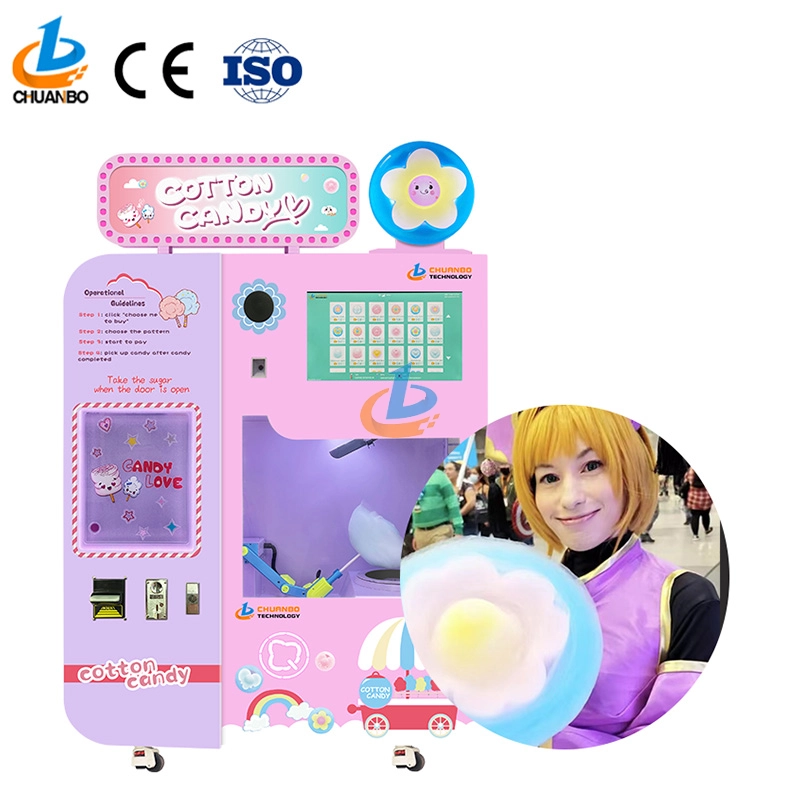
Fully Automatic Cotton Candy Vending Machine CB328
Introducing the Chuanbo Fully Automatic Cotton Candy Vending Machine CB328—a perfect blend of innovation and convenience. Ideal for businesses, this vending machine offers an effortless way to enjoy fresh cotton candy anytime. Explore the automatic cotton candy vending machine for sale and elevate your location's snack options today.
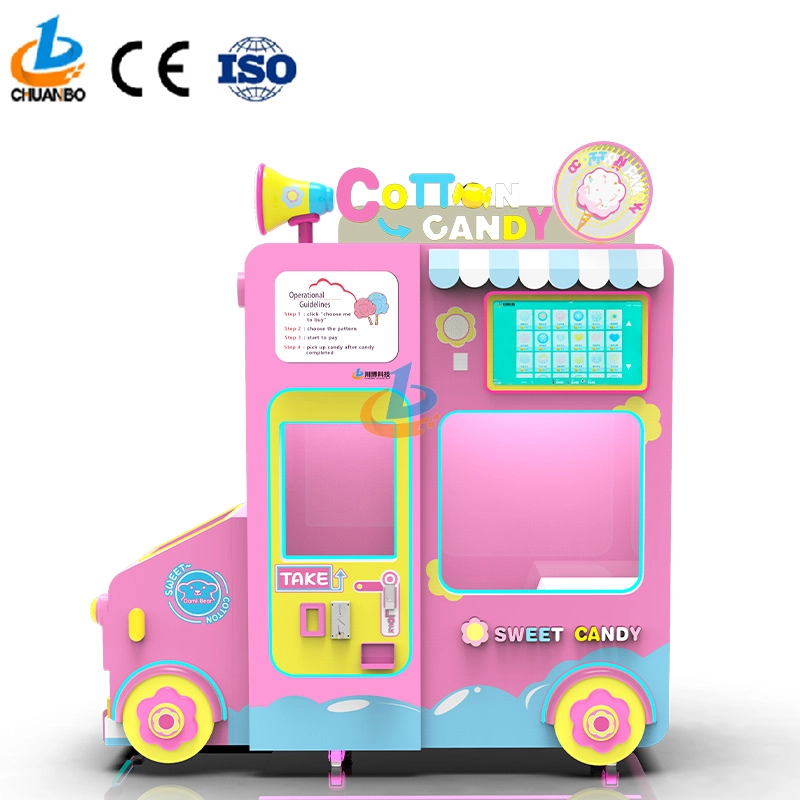
Intelligent Flower Candy Floss Vending Machine CB730
This automated candy floss vending machine combines advanced automation technology with the timeless appeal of cotton candy. Its robotic arms precisely transform sugar into fluffy treats and mold them into delightful shapes, such as flowers, hearts, and more. Customers can select the cotton candy they want by their preferences, ensuring that each dessert is both delicious and visually appealing.
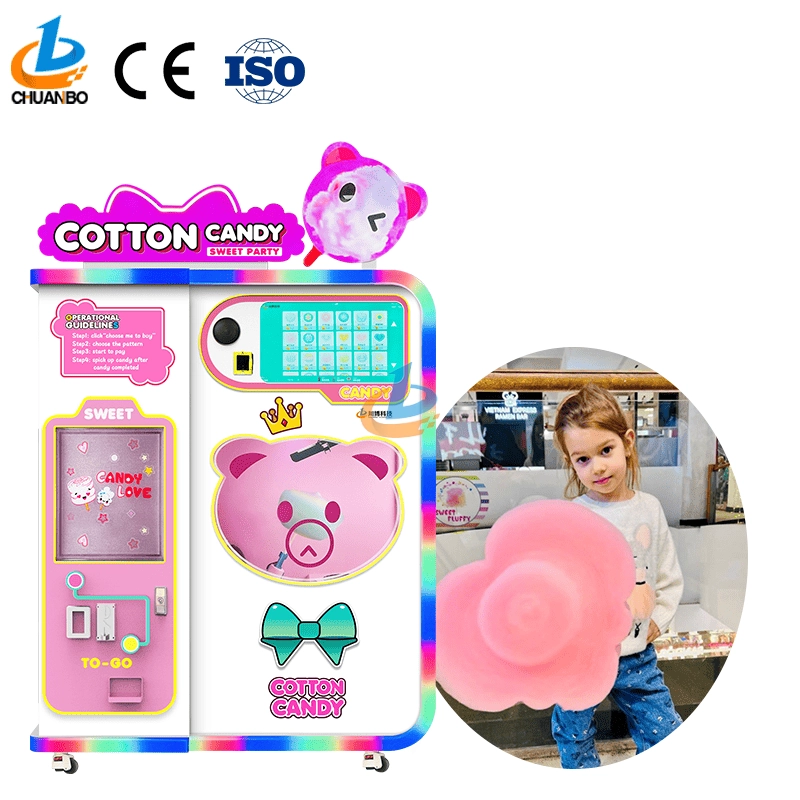
Fully Automatic Cotton Candy Vending Machine CB525
Discover the Chuanbo Fully Automatic Cotton Candy Vending Machine CB525, the ultimate solution for hassle-free confectionery delight. Ideal for entrepreneurs and venues, this high-efficiency machine ensures consistent quality. Explore our fully automatic cotton candy vending machine for sale today and elevate your business offerings.
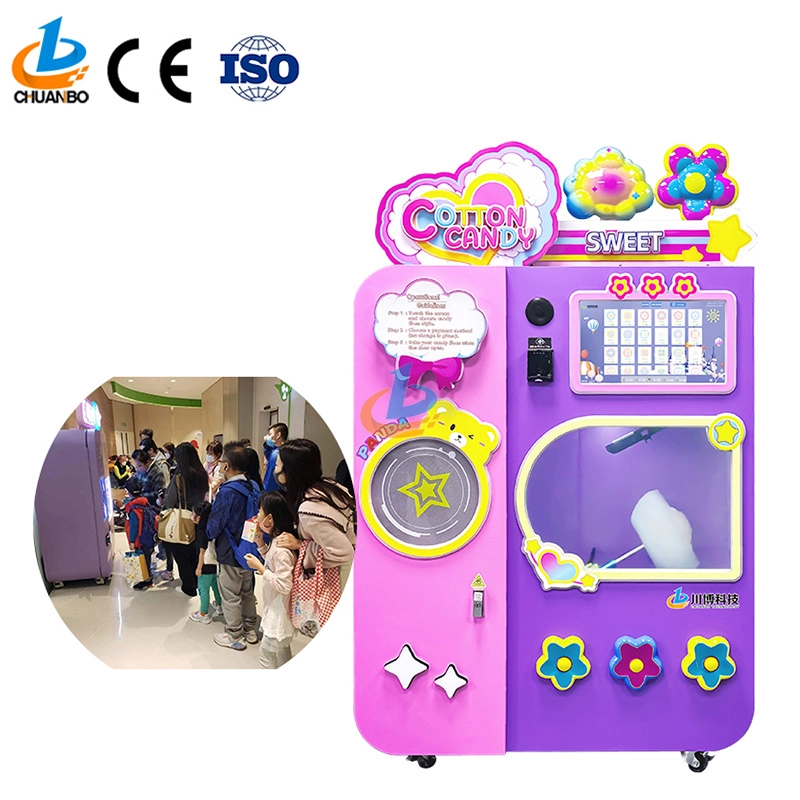
Wholesale Automatic Cotton Candy Vending Machine CB525H
This automatic cotton candy vending machine combines advanced automation technology with the timeless appeal of cotton candy. Its robotic arms precisely transform sugar into fluffy treats and mold them into delightful shapes, such as flowers, hearts, and more. Customers can select the cotton candy they want by their preferences, ensuring that each dessert is both delicious and visually appealing.
Copyright © 2024 CHUANBO All Rights Reserved.

 Scan QR Code
Guangzhou Chuanbo Information Technology Co., Ltd.
chuanbotechnology
Chuanbo Technology
cottoncandymachine9
Chuanbo Technology